
For freelance sports photographers and videographers
All-in-one software for freelance sports creators
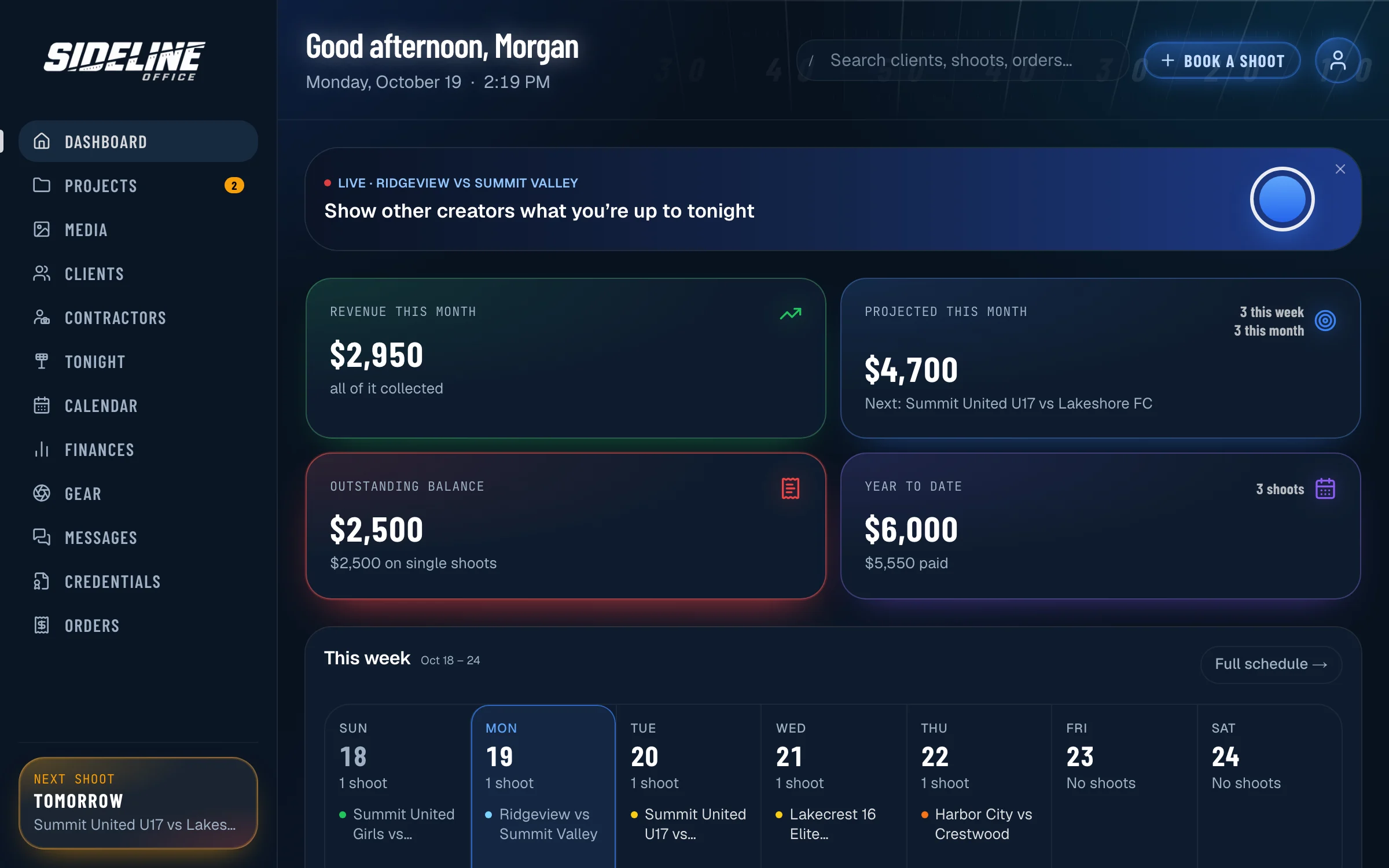
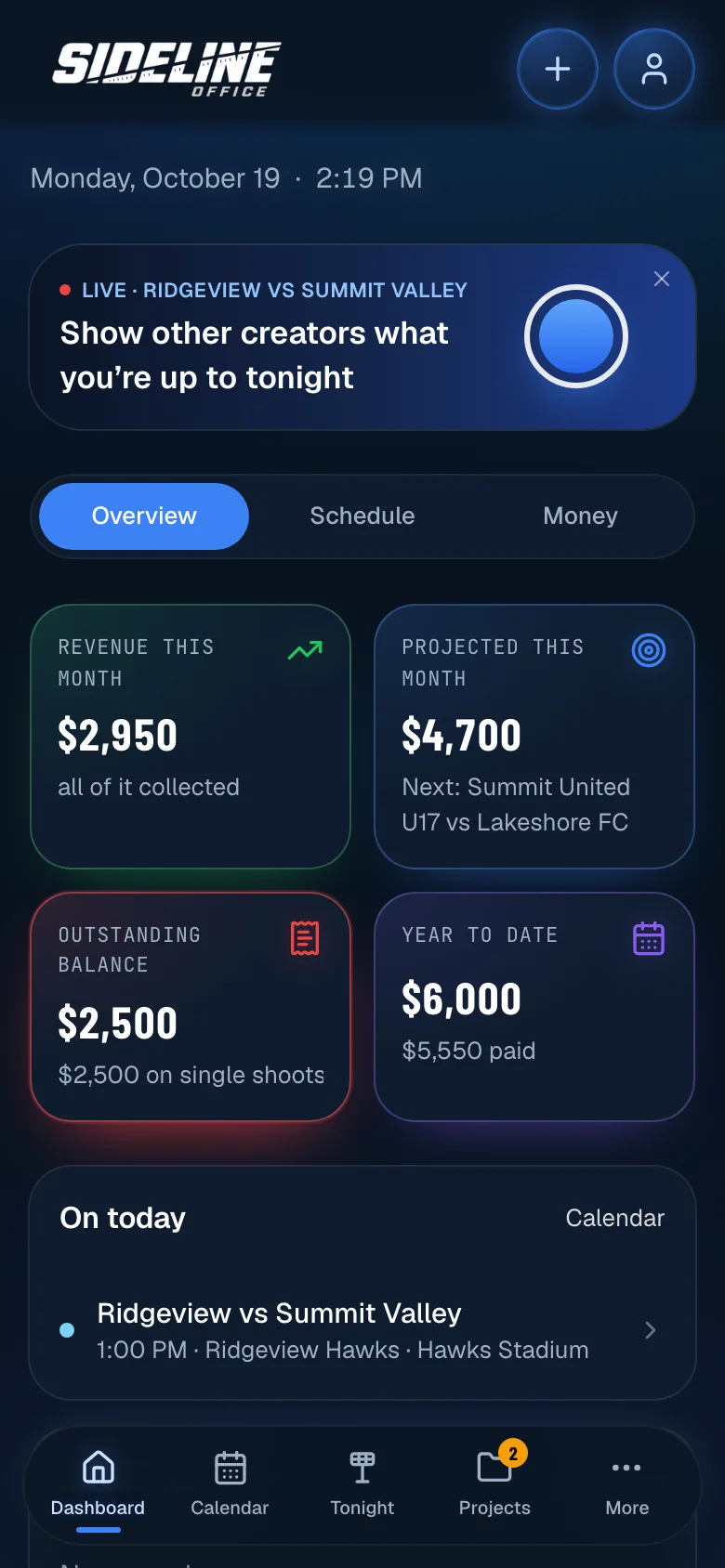
Book games, seasons and tournaments, assign your shooters, deliver to each club’s portal and send the invoice, all from one record of the job. Your finances update as you go.
Free for 14 days, no card needed. Plans from $29.99 a month.
One system
Everything your business runs on, in one place.
Most freelancers piece this together from a CRM, a calendar app, an e-signature service, invoicing software, a gallery host and a spreadsheet. Sideline Office covers all of it.
Replaces your
CRM
Clients, teams, rosters and contacts. Every shoot, invoice and note sits on the client’s page.
Replaces your
Calendar
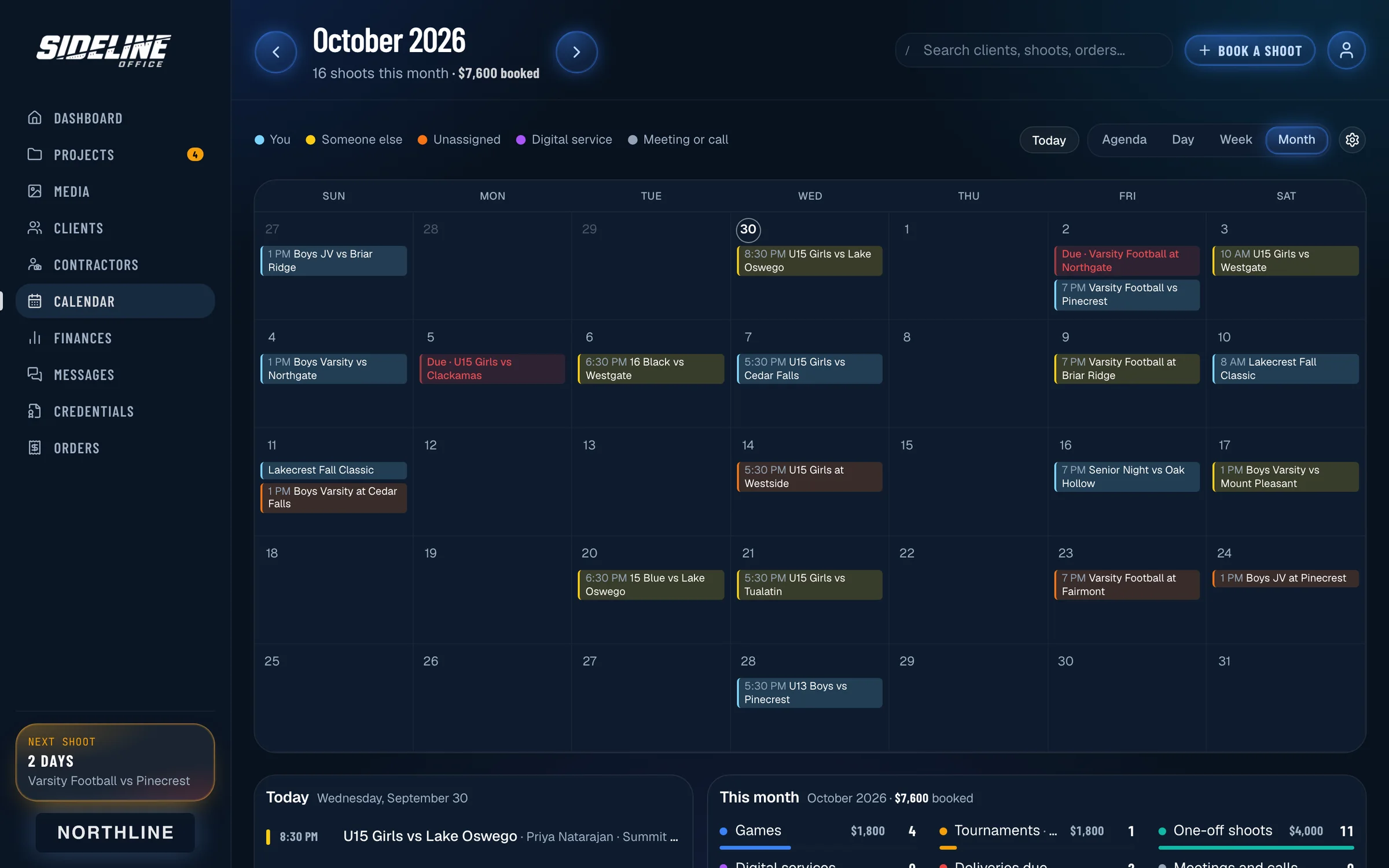
Every shoot, color-coded by who is covering it. Syncs with Google Calendar and any calendar app.
Replaces your
Contracts and e-signature
Clients read and sign in the browser. The signed copy is filed with the job it covers.
Replaces your
Invoicing
Invoices, deposits and payment terms. Reminders go out when an invoice is overdue.
Replaces your
Gallery delivery
Hosted galleries, or links to the SmugMug, Dropbox or Google Drive account you already use.
Replaces your
Client portal
A branded portal for each club. Free for clubs, coaches and families.
Replaces your
Crew scheduling
Offers, confirmations, check-in and what each shooter is owed.
Replaces your
Spreadsheets
Revenue, expenses, mileage, timesheets and tax reports, kept current as you work.
Every shoot is one record. The calendar, the crew, the club’s portal and the invoice all read from it.
Workflow
From booking to payment.
Book a game, a season or a tournament
Choose the club, the venue and the fee. The shoot goes on the calendar with its own project page. Seasons and tournaments are booked once, with every date inside them.
Built for sports
Organized around seasons, tournaments and clubs.
Sports work is sold by the season and the weekend and delivered to clubs rather than individuals. The product is organized the same way.
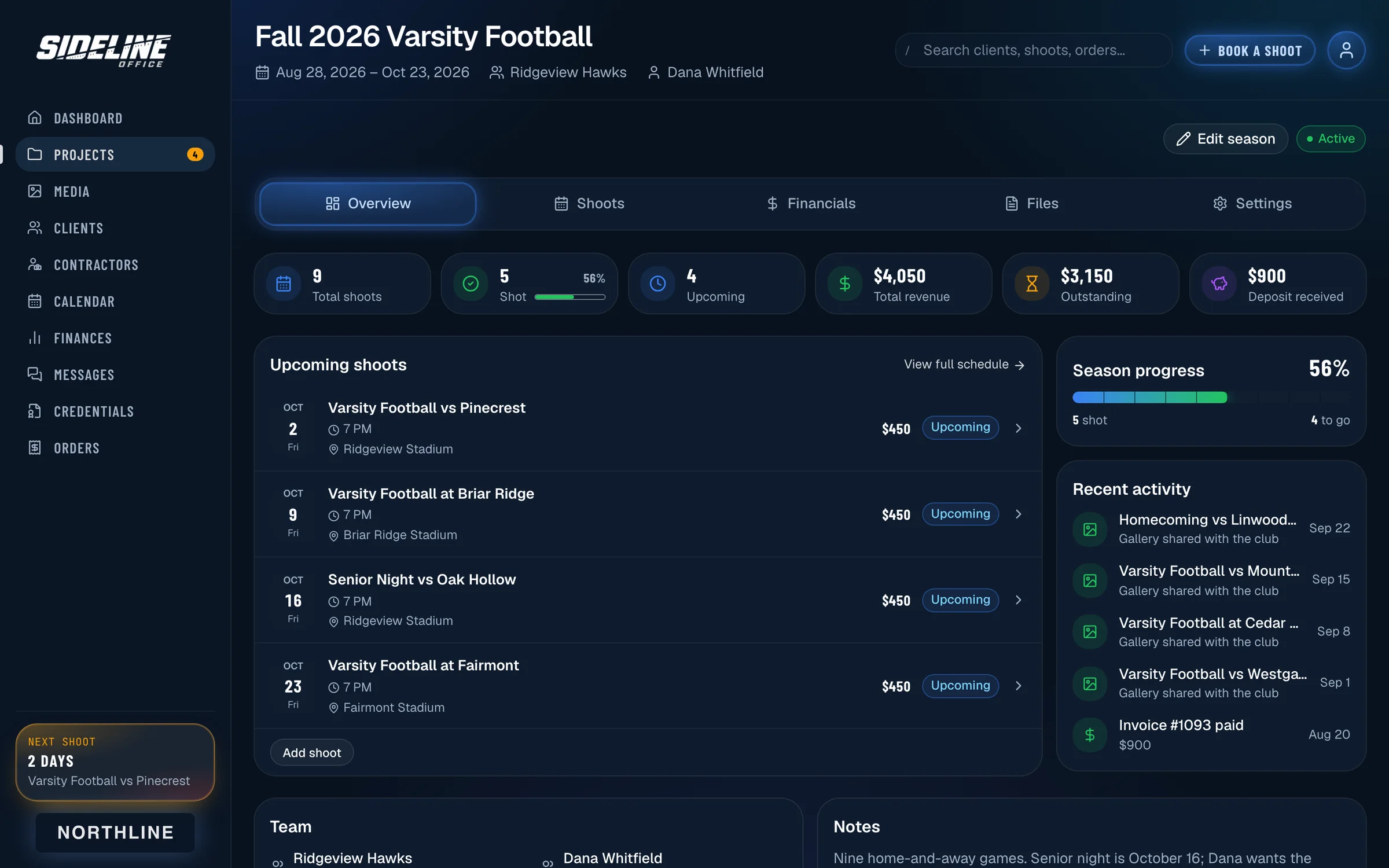
Seasons
Book every date in one pass, take a deposit, and bill by the season or by the game. Progress, upcoming games and the balance stay on one page.
Tournaments
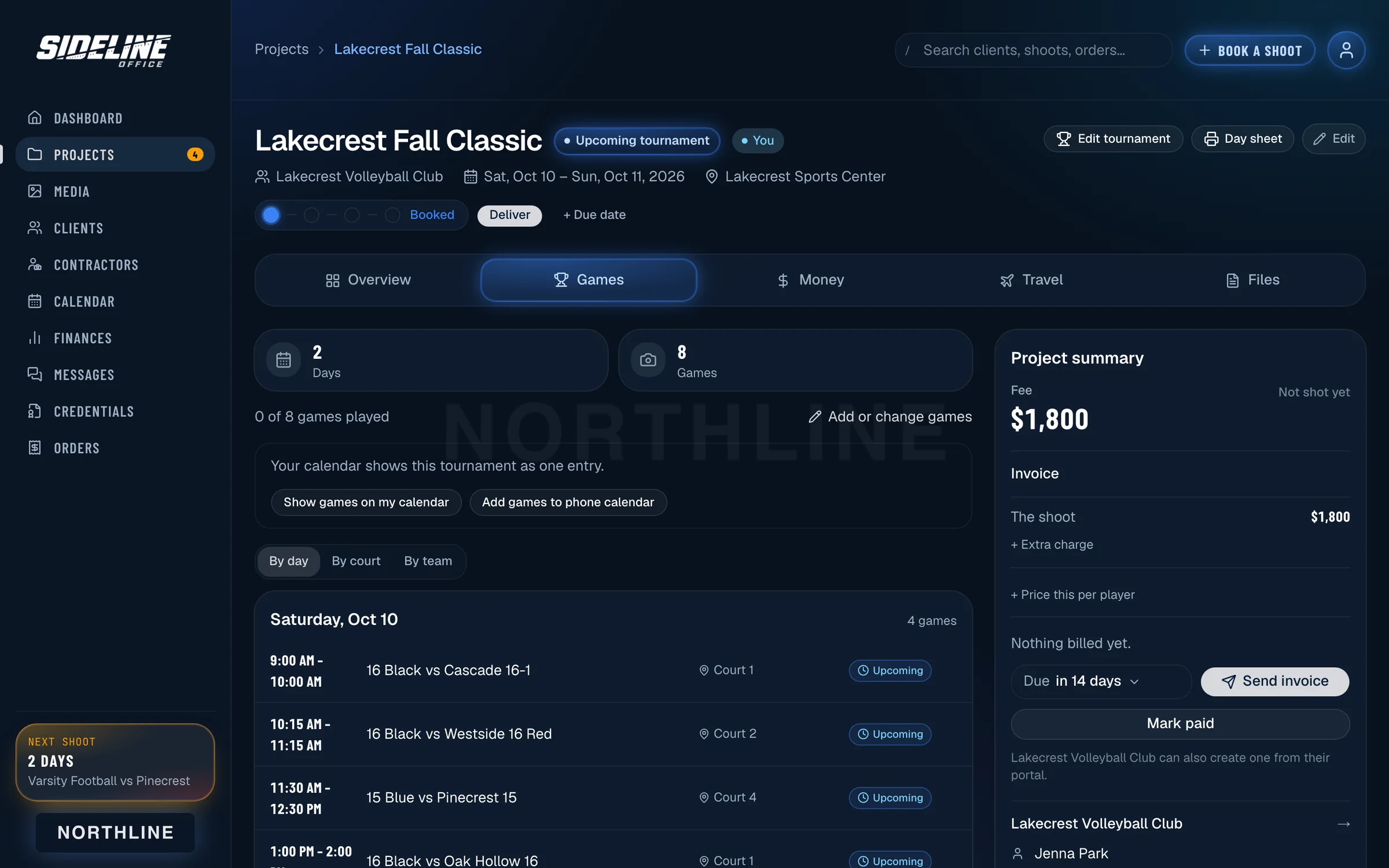
Lay out the weekend by day, court or team, split the games between your shooters and send one invoice. Price it flat, per game or by the hour.
Productions
Documentary and series work booked as one production, with a fee per client spread across the shoot days.
Media credentials
Request season or single-game passes through a school’s page. Each school sets what it needs from you, approves requests and checks passes at the gate. Passes go in Apple Wallet.
How credentials work →Text alerts
Shooters get offers, confirmations and a shoot-day check-in by text. Families can get a text when a gallery is ready.
Client portal
A portal for every club.
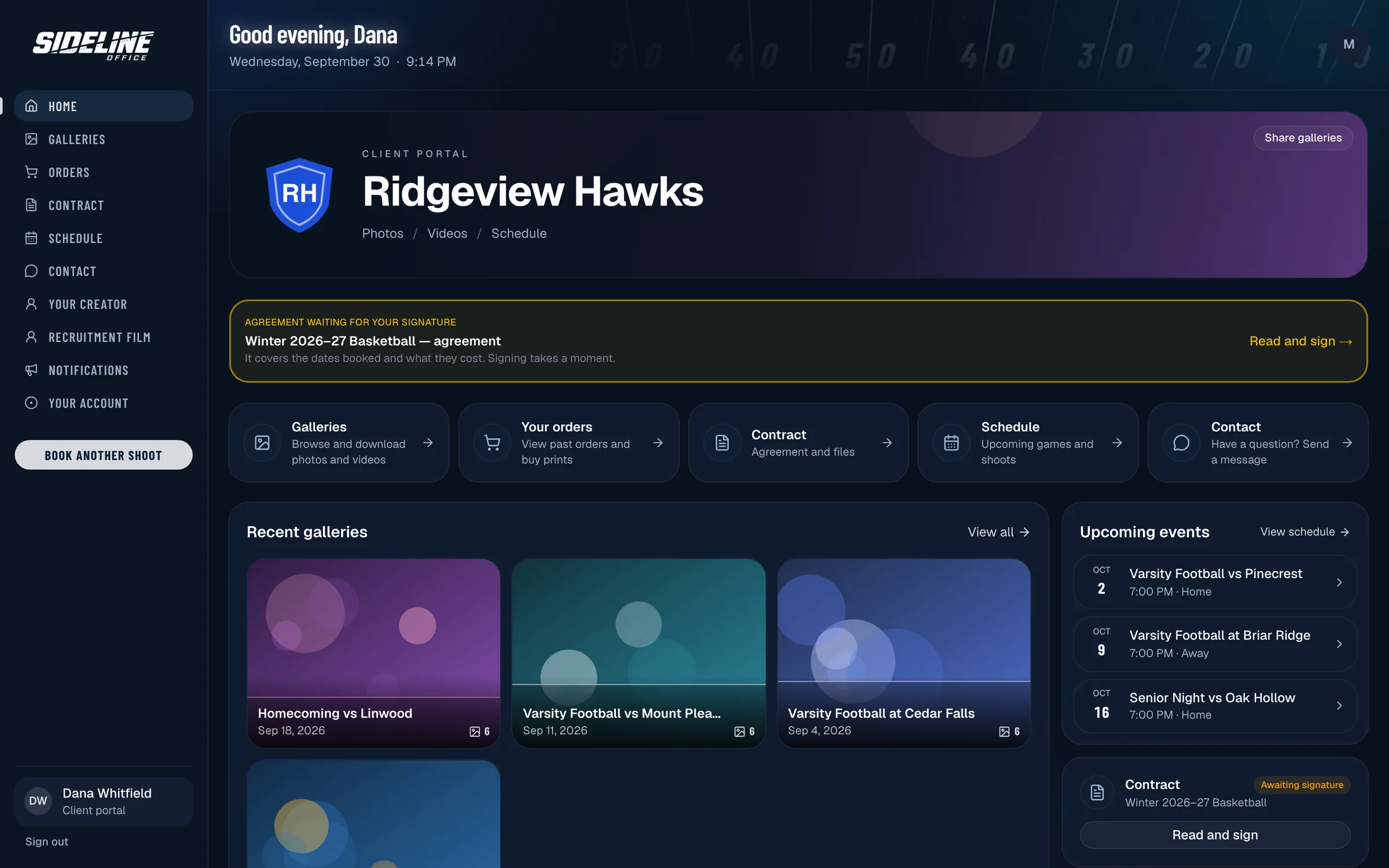
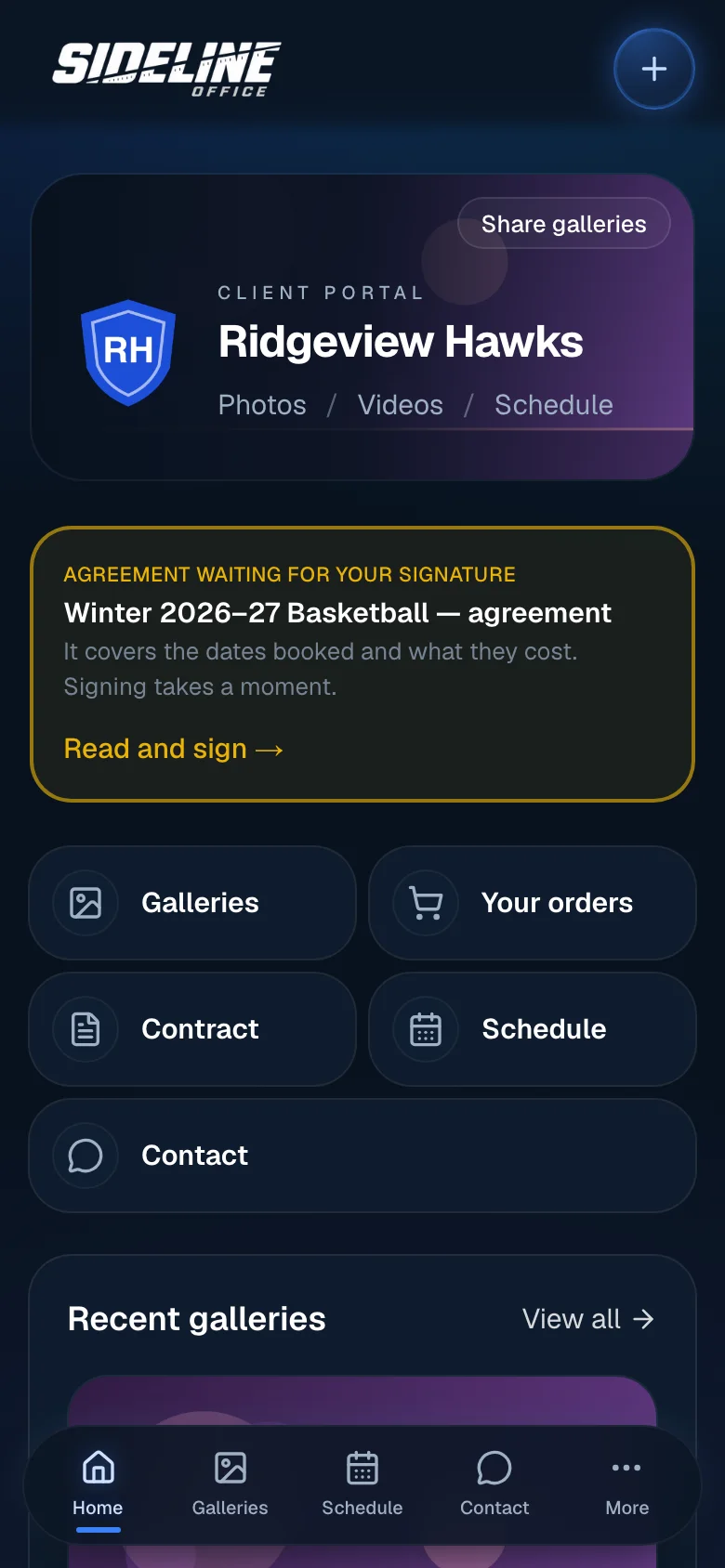
Each club gets its own portal under your branding. Directors see galleries, the schedule, contracts and invoices. Coaches and families see the media for their team.
- Galleries and downloads
- Upcoming games and shoots
- Contracts to sign, documents and invoices
- Messages with your studio
- Gallery alerts for families who follow the team
- A media-only share link that is safe to forward
Free for every club, coach, parent and player.
Crew and contractors
Your crew, booked and confirmed.
Offers
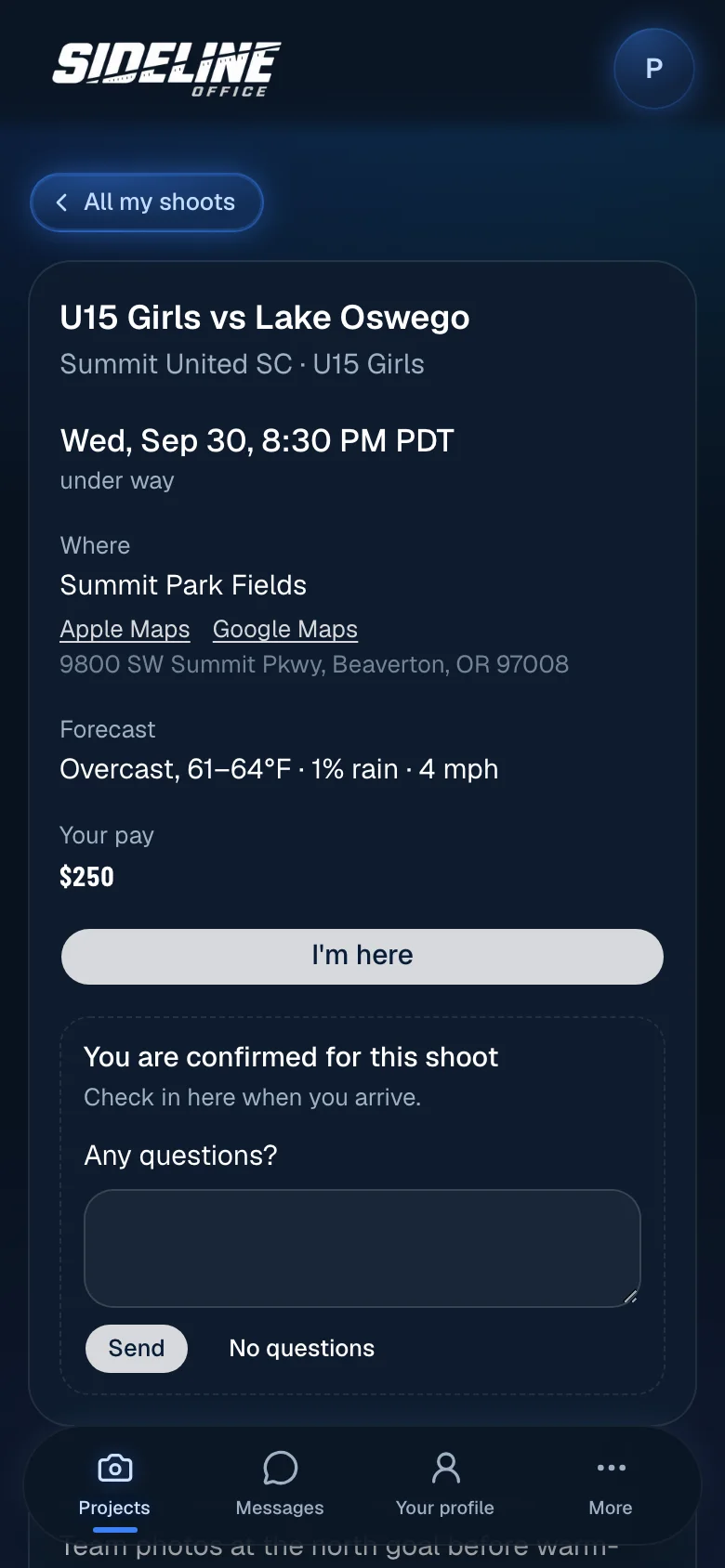
Send a shoot with the time, venue and pay. The shooter accepts or declines from the email, the app or a text.
Confirmations
Before each shoot they get the brief and confirm with one tap. You see who has and who has not.
Check-in
Shooters check in from their phone when they arrive. If nobody has checked in after the start, you are alerted.
Rates and pay
Photo and video rates, what each shoot pays, what you owe and what you have paid. You are notified when a shooter finishes uploading.
Live
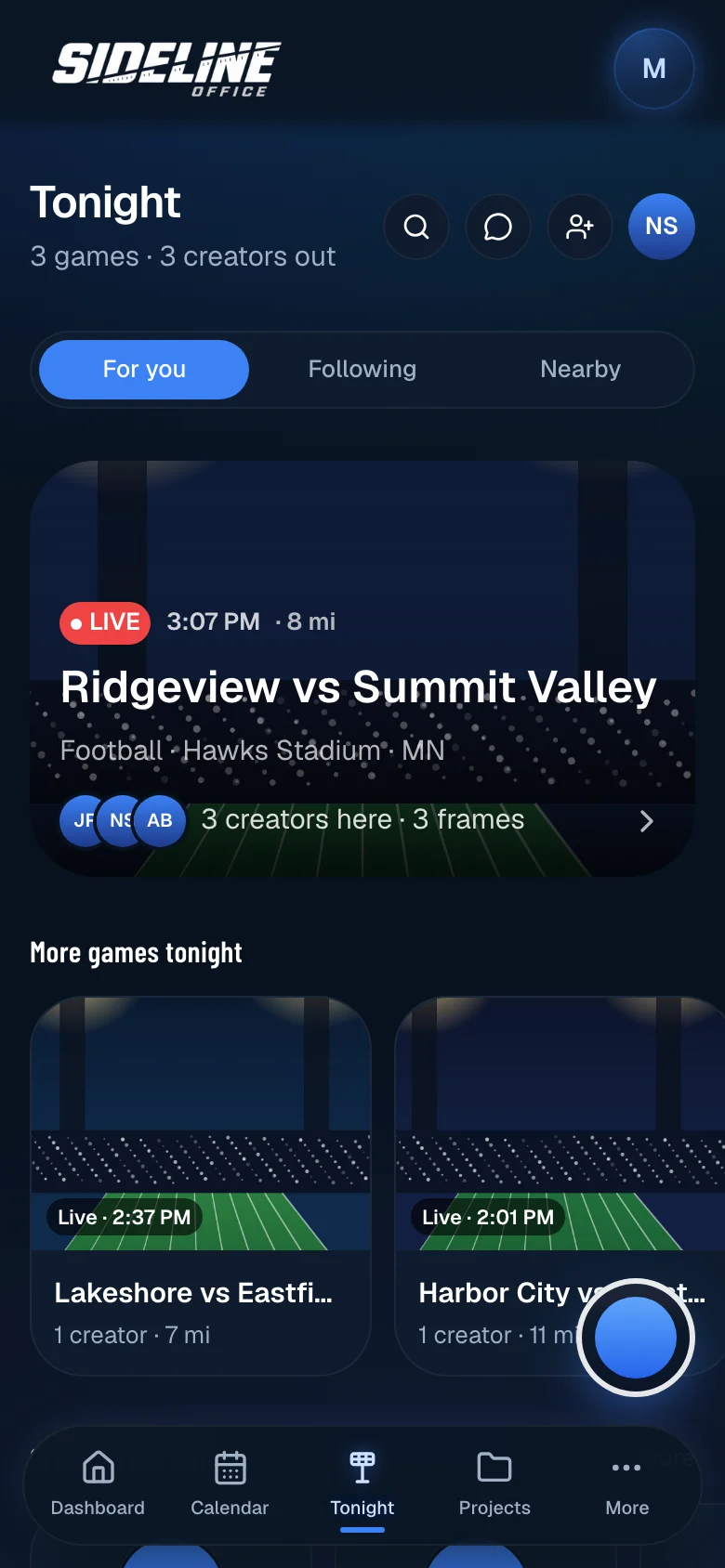
See what other creators are shooting.
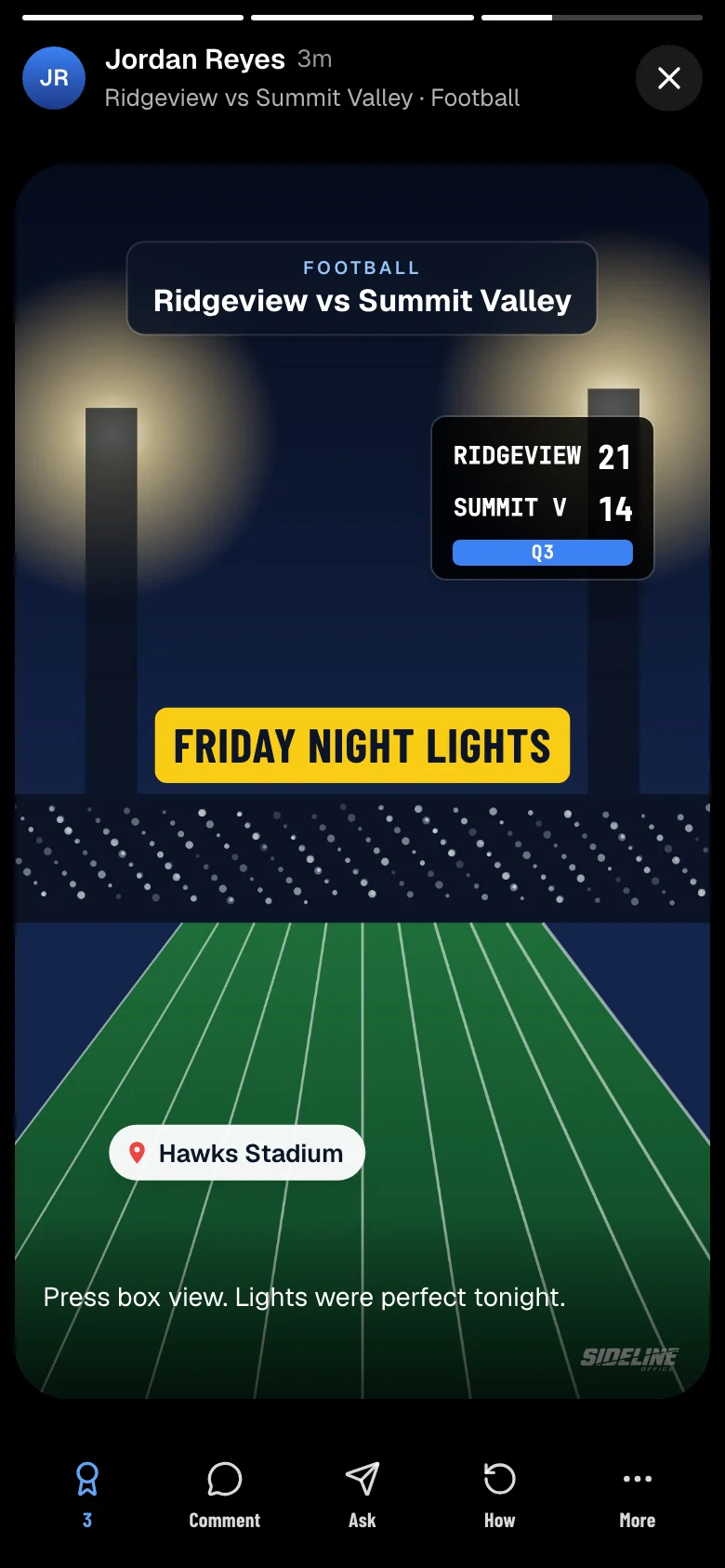
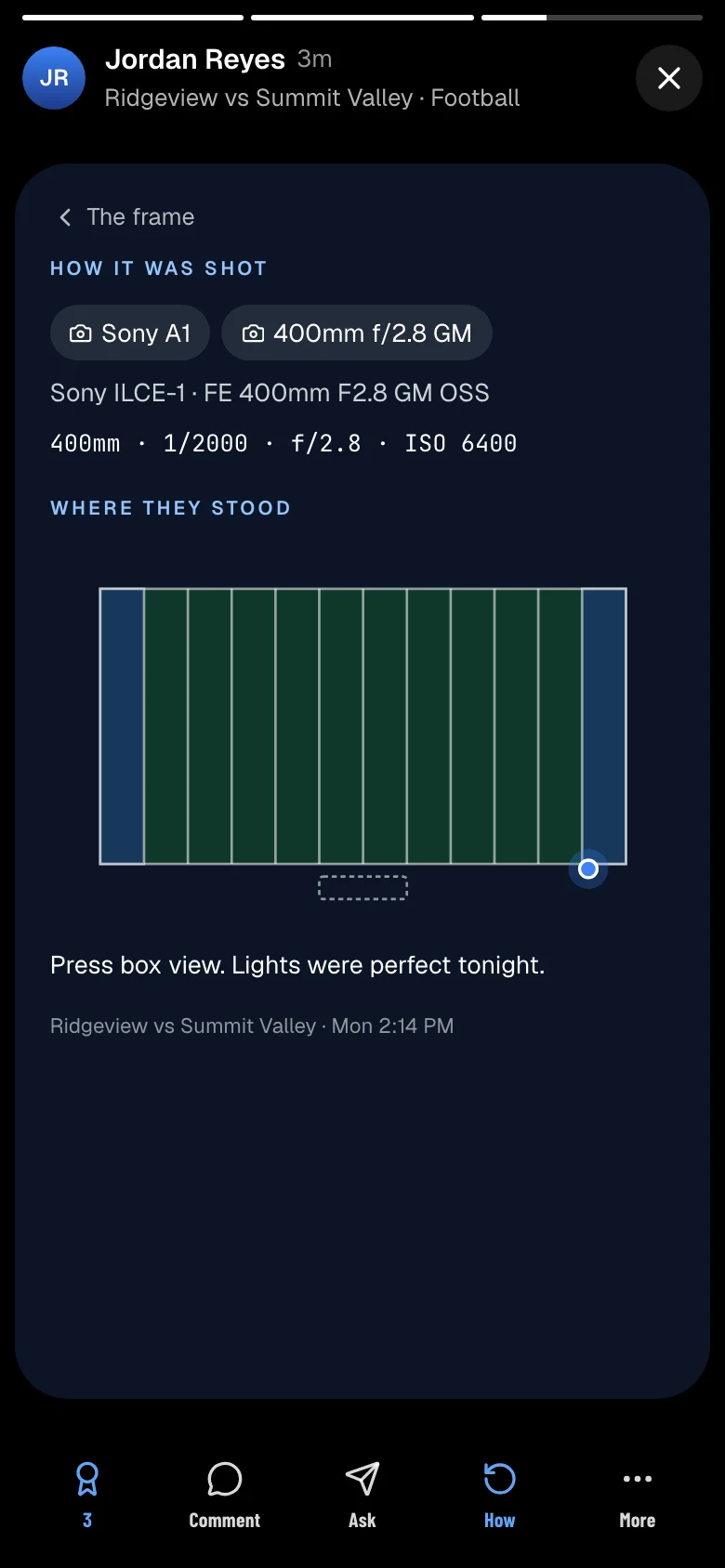
Post a photo or a short clip from the game you’re at, or from your desk while you edit. Every creator’s posts land on one live board, and each one shows the gear it was shot with and the settings.
- Photos and 15-second clips, with scene, score, weather, location and text stickers
- A live board of what creators are posting, from everyone, near you or the people you follow
- Every post kept on your page, grouped by the places you shot
- Share any of your posts to your Instagram Story
- Seen only by other creators, never by the public
On your phone
Run game day from your pocket.
Everything works in your phone’s browser and adds to your home screen. The iPhone app, coming to the App Store, puts the day’s shoots where you can see them without unlocking.
Lock Screen countdown
The next shoot on your Lock Screen and Dynamic Island, counting down to kickoff, with check-in right on it.
Apple Watch
Today’s shoots on your wrist, and check-in when you arrive.
Home Screen widgets
Your next shoot, this month’s revenue or the calendar, without opening the app.
Notifications
Offers, messages, orders and gallery activity as they happen.
Apple Wallet passes
Media passes in Apple Wallet, and a scanner for schools that check passes at the gate.
Also included
The rest of the business.
Proposals
Quotes your clients read and accept online.
Public profile
A page for your business with a booking request form. Inquiries land in one list.
Weather on shoots
Forecasts on upcoming shoots for you and your crew.
Expenses and mileage
Receipts, recurring costs and a mileage log.
Tax reports
Schedule C summary, mileage deduction and 1099 totals.
Timesheets
Hourly work logged and billed from one page.
Import
Clients, shoots and invoices from other photography software or a spreadsheet.
Calendar sync
Google Calendar sync and a feed for any calendar app.
Pricing
Every plan includes the whole product.
The plans differ only in gallery hosting. Keep delivering through SmugMug, Dropbox or Google Drive, or host your galleries here.
Pay yearly and save 20%.
Studio
Clients, bookings, contractors, invoices, contracts and credentials. Photos stay in your own SmugMug, Dropbox or Google Drive.
$29.99a month
or $23.99 a month, billed yearly
Deliver through your SmugMug, Dropbox or Google Drive
Start 14 days freeStudio + Galleries
Most popularEverything above, plus hosted client galleries and downloads. 250 GB.
$39.99a month
or $31.99 a month, billed yearly
250 GB of hosted gallery storage
Start 14 days freeStudio + 1 TB
A busy year kept whole, or a second shooter alongside you.
$49.99a month
or $39.99 a month, billed yearly
1 TB of hosted gallery storage
Start 14 days freeIn every plan
- Unlimited clients, shoots and contractors
- Single shoots, seasons, tournaments and productions
- Project pipeline, dashboard and finances
- A branded portal for every club
- Invoices, payment terms and reminders
- Contracts with e-signing, and proposals
- Crew offers, confirmations and check-in
- Google Calendar sync and a calendar feed
- Media credentials
- Import from other studio software
Galleries plans add
- Hosted client galleries
- Downloads for clubs and families
- Shooters upload straight into your galleries
- 250 GB or 1 TB of storage
14 days free, no card needed
The trial is the full product. Nothing is charged until it ends.
Clubs never pay
Club directors, coaches, parents and players use their portal free. They only pay the invoices you send them.
More storage
Studio + 2 TB is $59.99 a month.Cancel at any time.
Questions
Common questions.
How does the free trial work?
You get the full product for 14 days with no card. Uploads are capped at 25 GB until a card is added. Nothing is charged until the trial ends.
Which plan do I need?
Studio, if you already deliver through SmugMug, Dropbox or Google Drive. A Galleries plan, if you want galleries hosted here with downloads for clubs and families.
Can I change plans later?
Yes. Upgrades take effect immediately and are prorated. You can move to a smaller plan once your hosted galleries fit within it.
What do clubs, coaches and parents pay?
Nothing. The portal is free for everyone at the club. They only pay the invoices you send.
How do clubs pay their invoices?
From their portal. Add your Venmo handle to take payment there, or they let you know a check is on its way. You mark it paid and it counts toward revenue and tax reports.
Can I bring my data from another app?
Yes. Import clients, shoots, invoices and gallery links from HoneyBook, Pixieset, Dubsado and other photography software, or from a spreadsheet. You review everything before it is saved, and an import can be undone.
Does it send text messages?
Text alerts are available for shooters and families. Offers, confirmations and gallery notices also go by email and app notification.
Is there a mobile app?
Yes. Sideline Office works in any phone browser and can be added to your home screen. The iPhone app, with Lock Screen countdowns, widgets and Apple Watch check-in, is coming to the App Store.
How do I cancel?
From the Billing page, at any time. Your data is kept, and your clients’ galleries stay open for 30 days.
Run your next season from one place.
Start free for 14 days. Import your existing clients and shoots to see it with your own work.