
Media credentials · Free for schools
Know who is on your sideline
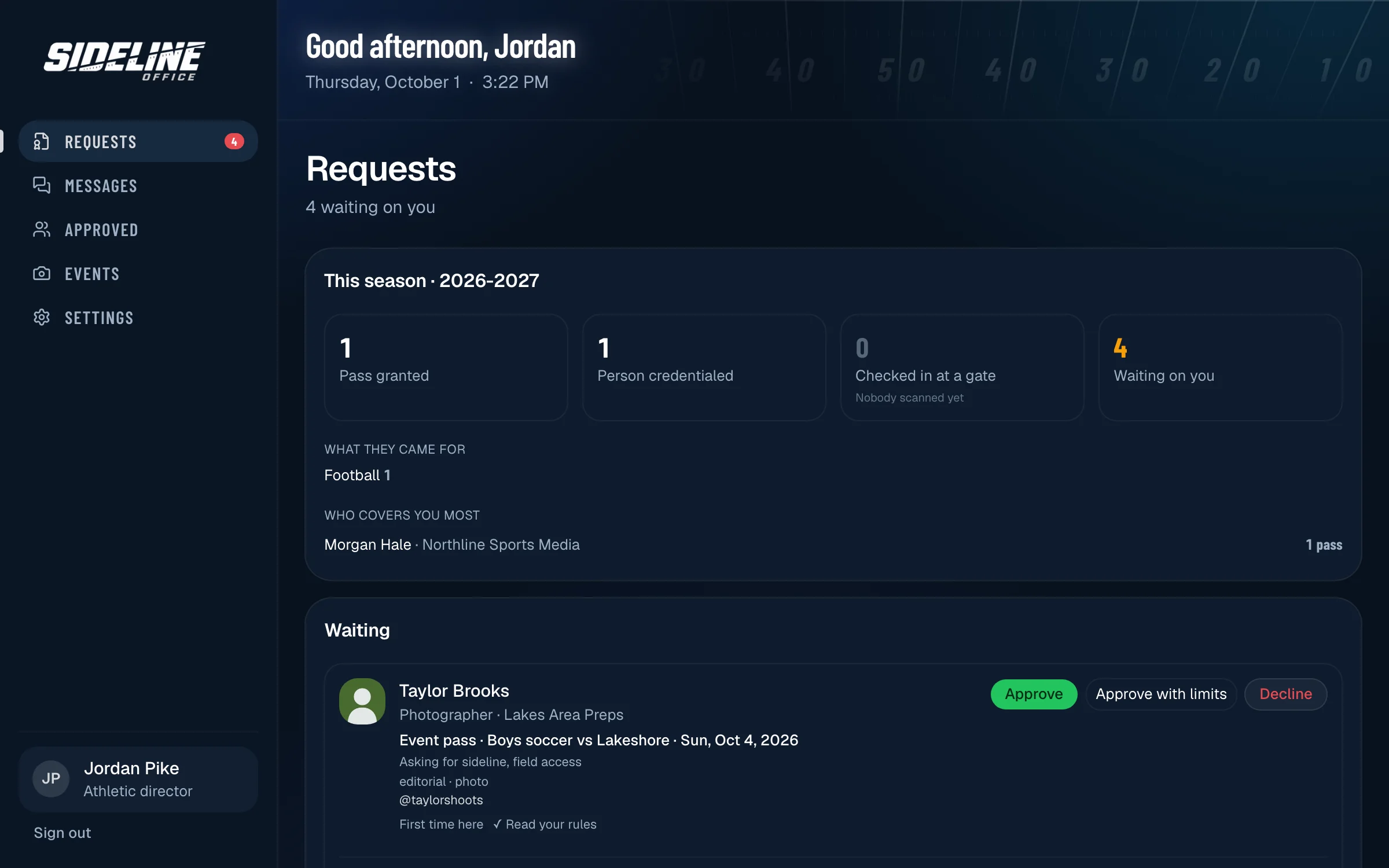
Photographers and videographers apply through your school’s page before the game. You approve or decline in one place, and your gate checks them in from a phone.
For athletic directors
Control who is on your sideline.
Requests that used to arrive by text the week of the game come in ahead of time, in one place, from people who have already agreed to your rules.
Requests come in ahead of time
Media apply through your school’s page for a game on your imported schedule or for a season — and never later than the cutoff you set.
Approve or decline in one place
Every request lands on one list. Answer from your desk or straight from the email, and add a note or a restriction.
Your rules, ready-made
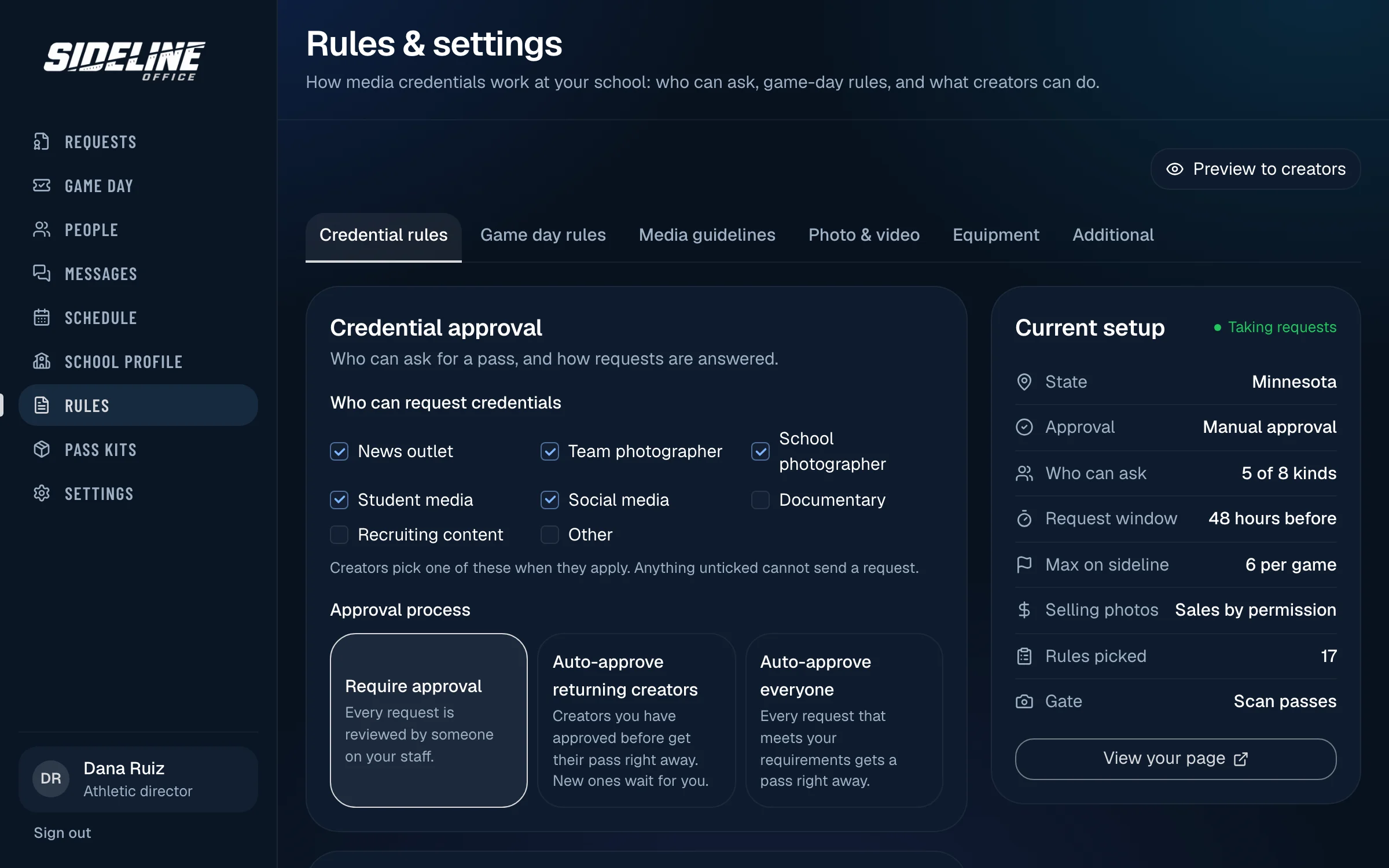
Pick from the rules schools already use: where to stand, no flash, no drones, whether photos can be sold. Set a sideline limit, and your state association’s playoff rules show to everyone who applies.
Your requirements, met first
Ask for a phone number, both sides of a driver’s license, a cleared background check and your media guidelines signed. A request can’t be approved until everything is in.
Game day on one phone
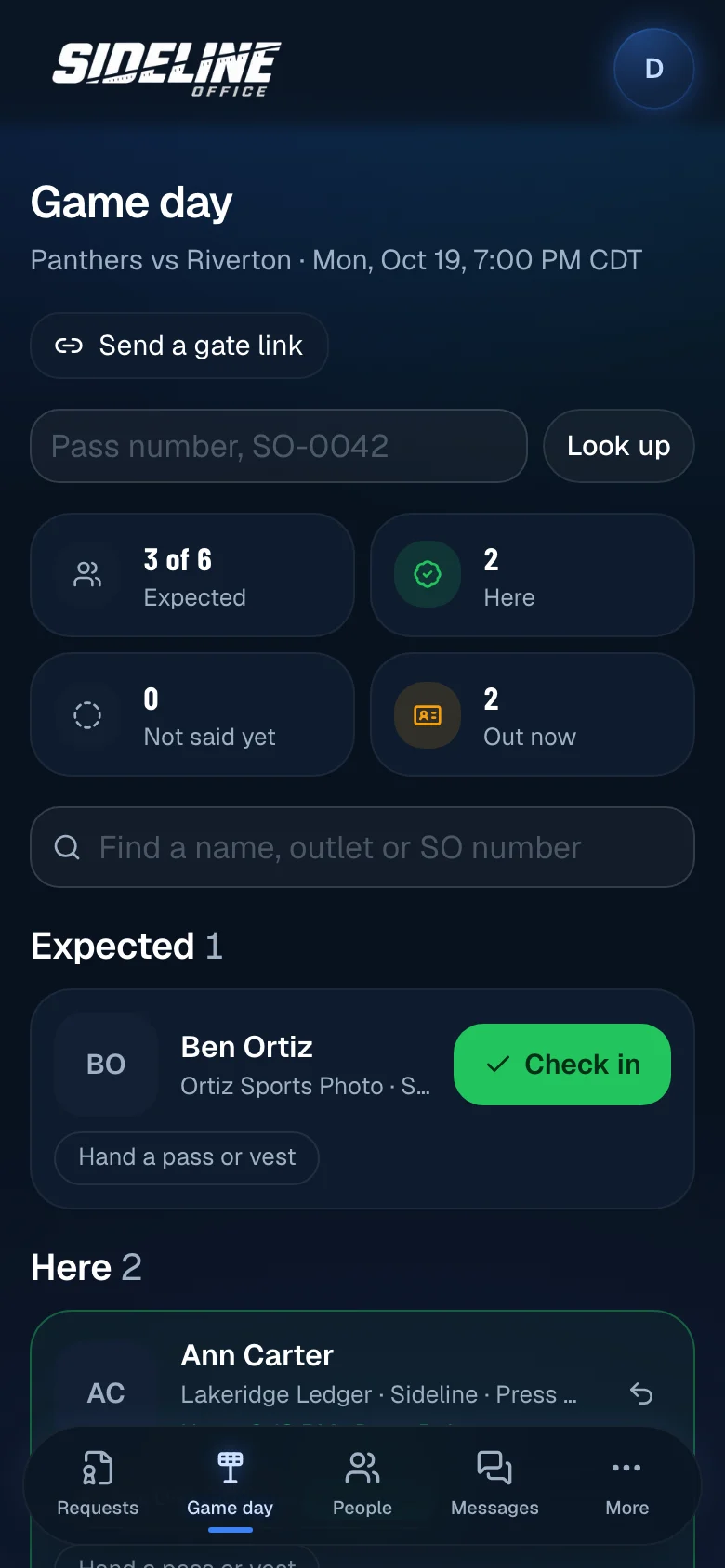
Tonight’s list with photos: who said they are coming, who is here, and which numbered pass or vest each person has. Scan a pass or find a name, and see what is still out before you lock up.
Your whole department
Add colleagues to share the list. Coaches can approve for one sport, gate staff get an account that only checks people in, and a volunteer can work one game from a link you text them.
Your rules, set once
Who can ask, how far ahead, how many on the sideline, and whether photos can be sold. Creators agree before a request is sent.
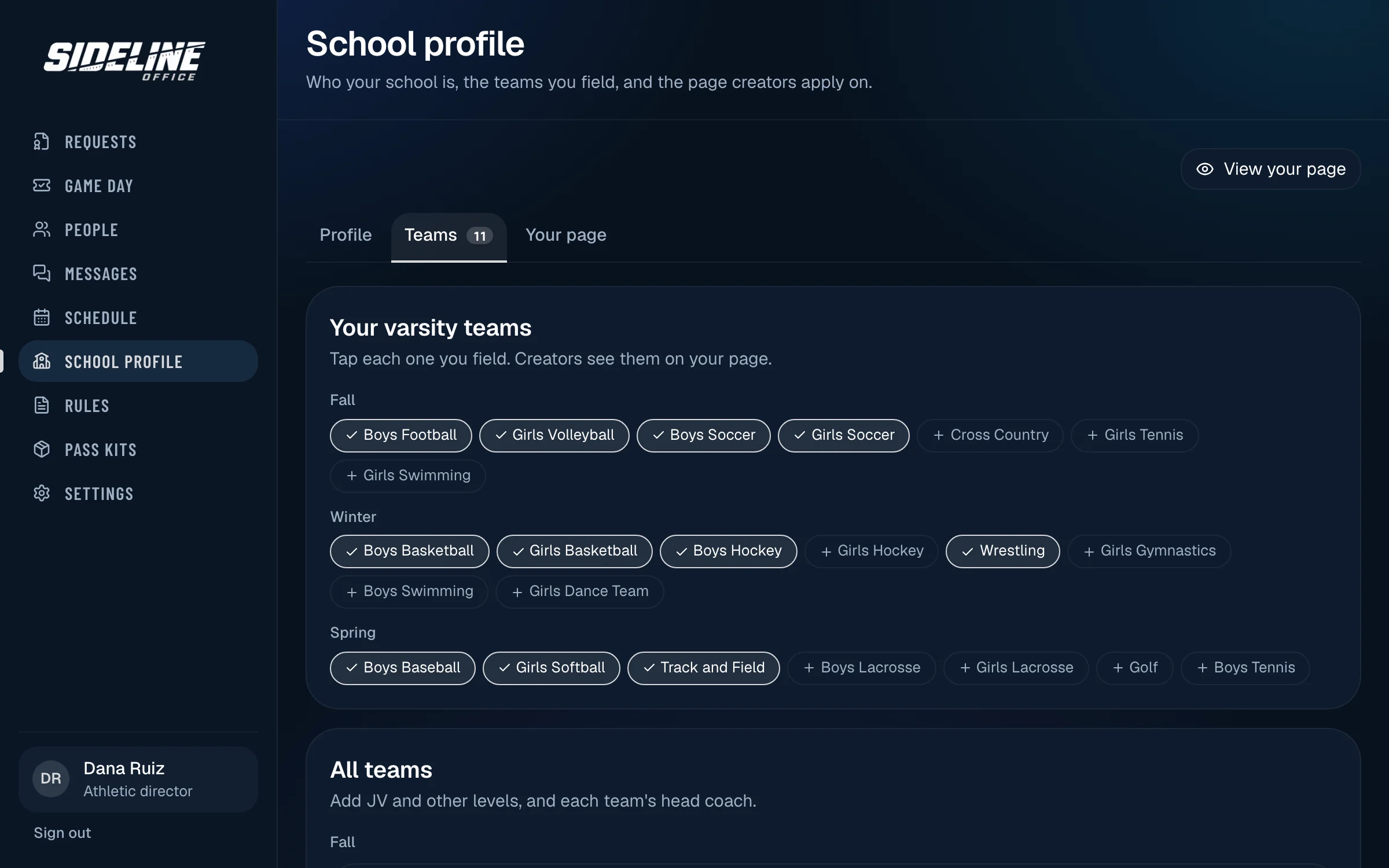
Your school, your teams
Your logo, colors and mascot, and the teams you field each season, on the page creators apply through.
How it works
Four steps, set up once.
- 1
Set up your department
Add your school, logo, media policy, the passes you offer and what you need from each applicant.
- 2
Share your page
Put the link on your athletics website and in your preseason email. Media apply there.
- 3
Approve or decline
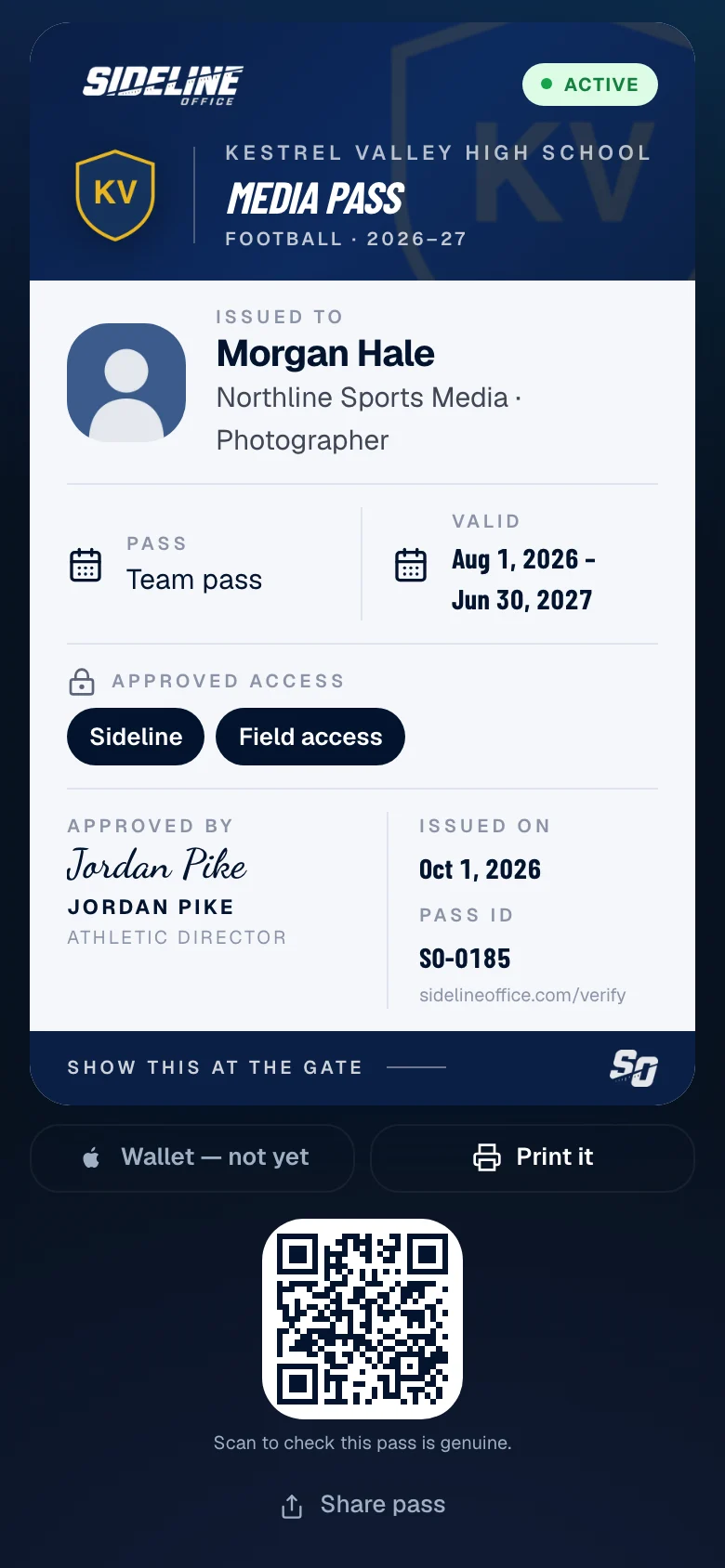
Review each request and answer it. Approved media get their pass by email.
- 4
Check them in
On game day, gate staff open the list on a phone and check each person in.
Free for schools
The software costs your school or district nothing. No plan and no card. Media who apply make a free account.
Physical passes for your gate
Order a kit for one sport, a season or the whole year. Your gate hands a numbered pass or vest to people already approved, and Game day shows who has which until it comes back.
- Numbered passes in a color for each access level
- Breakaway lanyards, or lanyards printed with your school
- Numbered PHOTO vests
- A gate sign that sends media to your request page
Order from your department account. Your school’s first kit is free.
Get started
Bring it to your school.
Tell us about your school and we will set up your department with you, including your page, your media policy and the passes you offer.
Prefer to start on your own? Set up your department.
For photographers and videographers
Apply once. Keep every pass in one place.
A media credential is a school’s permission to work its games from the sideline, the baseline or the press box. Schools here take requests through their own page, and you apply there.
Free, with no plan and no card. Shoot sports for a living? A full Sideline Office account includes credentials.
Step 1
Find the school
Search the schools taking requests, or open the link a department sent you.
Step 2
Apply for a game or a season
Your name, outlet and headshot are filled in each time. Accept the school’s rules and send.
Step 3
Keep your passes on your phone
Approved passes open with your photo and pass number, and go in Apple Wallet. You hear by email when a school answers.
Step 4
Say which games you are coming to
A season pass lists the games it covers. Tap Coming or Not this one, and the school knows who to expect.
Questions
Common questions.
What does it cost a school?
The software is free. There is no plan and no card for a school or district. Printed pass kits are optional, and a school’s first kit is free.
Do photographers and videographers pay?
No. A credential account is free. Studios that also run their business here pay for their studio plan, not for credentials.
Is a pass enough to get in?
No. The gate checks the approved list for that day. A pass that was revoked or is out of date shows as not valid.
Can we limit where someone can go?
Yes. Each pass names its access, such as sideline or press box, and you can add a restriction when you approve.
Can we limit how many media are on the sideline?
Yes. Set a limit per game. Season pass holders say which games they are coming to, and once a game is full nobody else can say yes to it.
What about playoff games?
In most states the state association credentials the postseason, not the host school. Set your state and its playoff rules are shown to everyone who applies to you.
Can a volunteer work the gate?
Yes. Text them a gate link for one game. It opens that night’s list with no account and stops working the next morning.